Enhancing Content Discoverability in Canvas: Strategies for Instructional Designers
In today's rich digital learning environments, ensuring students can easily find and access relevant course materials is crucial. This article will provide instructional designers with practical strategies and Canvas features to improve content discoverability, reduce student frustration, and enhance learning outcomes.
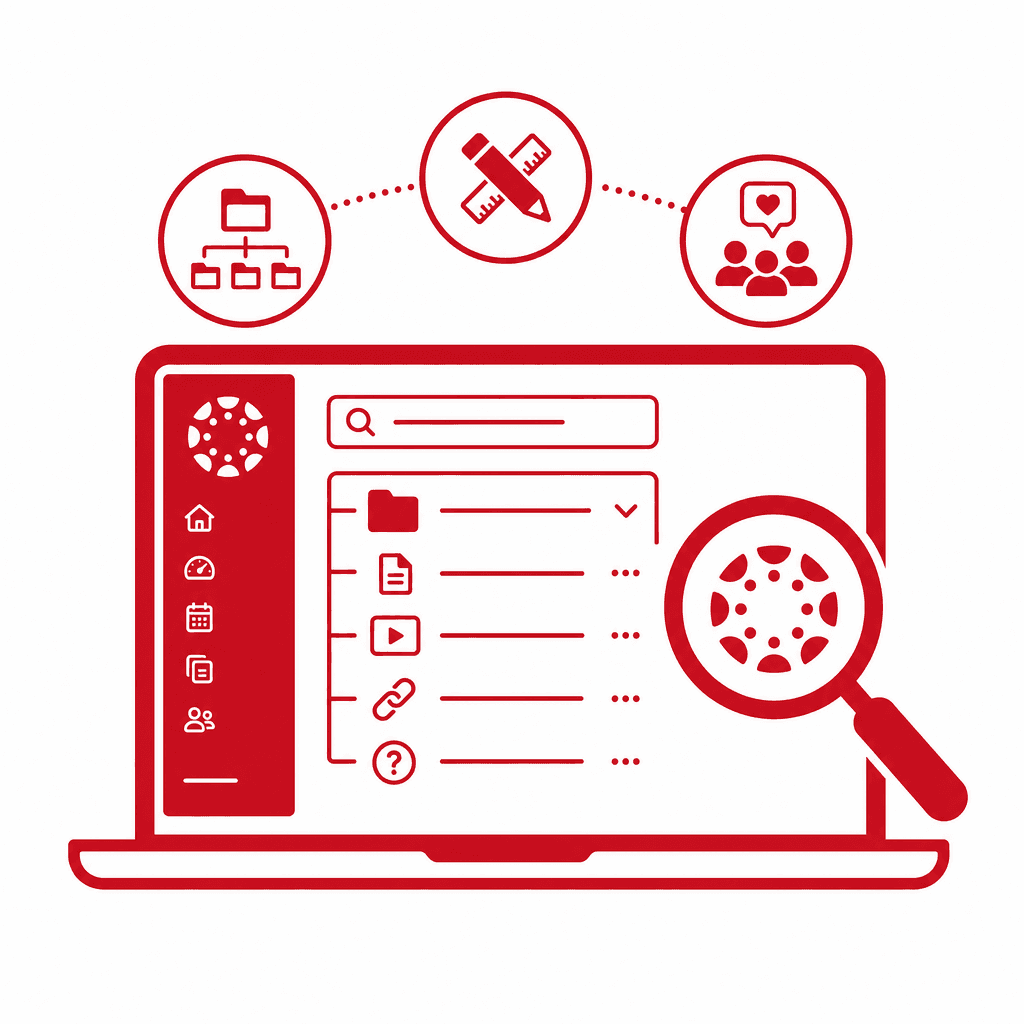
Effective content discoverability is essential in Canvas LMS to enhance the student experience. This article explores the various strategies and features that instructional designers can employ to organize course materials, navigate content efficiently, and optimize information architecture. By improving visibility and accessibility, we can facilitate better learning outcomes and reduce frustration among students.
Understanding Content Discoverability in Canvas
In the Canvas LMS, effective content organization is pivotal for facilitating smooth navigation and enhancing student engagement. By strategically employing features like modules, folders, and labels, instructional designers can significantly improve the clarity and accessibility of course materials. Modules serve as a powerful tool to create a structured pathway for students. By organizing content into manageable segments—such as weekly units or thematic categories—designers can guide students through a coherent learning journey. For instance, a module for a week-long topic could include readings, discussion prompts, and assessments, encouraging a step-by-step approach to content consumption. Folders and labels further enhance organization by allowing designers to categorize resources according to type or purpose. For example, creating a folder for all multimedia resources and labeling them according to their relevance can help students quickly locate videos or interactive elements they need. Utilizing these techniques not only simplifies navigation but also aligns with principles of information architecture, where clear categorization and hierarchical structures reduce cognitive load. This thoughtful design consideration ultimately leads to a more intuitive user experience, minimizing frustration and optimizing learning outcomes.
Effective Content Organization Techniques
Effective content organization within Canvas is paramount in facilitating a smooth navigation experience for students. One effective technique is to use **modules**, which allow designers to create structured pathways through course content, logically grouping related resources and activities. For instance, organizing modules by week or topic provides students with a clear roadmap, enhancing their ability to locate materials swiftly. Another useful strategy involves utilizing **folders** to categorize course documents, assignments, and multimedia. This allows students to engage with specific types of content without sifting through an overwhelming amount of information. For example, a folder dedicated solely to readings separates essential texts from assignments, which can significantly clarify access points within the course. Incorporating **labels** is equally valuable. By tagging content with relevant keywords such as "Important," "Reading," or "Assignment," instructional designers can improve the searchability of resources, making it easier for students to find what they need quickly. These organizational techniques not only reduce student frustration but also enhance the overall learning experience by promoting clarity and accessibility. A well-structured course encourages engagement and fosters a sense of direction, ultimately supporting students in achieving their learning objectives.
Leveraging Canvas Features for Navigation
Utilizing specific features within Canvas can significantly enhance course navigation, thereby improving the overall student experience. One essential tool is the syllabus feature. By clearly outlining course objectives, assignments, and schedules, the syllabus acts as a centralized hub for vital information. Instructional designers should ensure that the syllabus is updated regularly and designed to be visually engaging, as this will not only attract attention but also make it easier for students to locate essential details. The calendar feature is another critical component in boosting navigability. By synchronizing assignment due dates and course events, students can plan their schedules effectively. Encourage students to utilize the "Add to Calendar" feature so they can access course dates across different platforms. This integration prevents vital information from being overlooked and allows students to manage their time proactively. Lastly, the global navigation menu provides a streamlined way for students to access various course elements—including grades, modules, and announcements—without having to navigate multiple pages. To optimize this feature, instructional designers should tailor the menu to prioritize frequently accessed content. By embracing and effectively implementing these Canvas features, instructional designers can create a more navigable learning environment that enhances both content discoverability and overall student satisfaction.
Designing an Intuitive User Experience
Creating an intuitive user experience in Canvas requires a strong understanding of user experience design principles. Instructional designers should prioritize simplicity and clarity to reduce cognitive overload for students navigating course materials. A well-organized course interface can significantly enhance content discoverability and overall student satisfaction. To achieve this, it is essential to establish a clear information architecture. This includes grouping similar content into modules, using intuitive naming conventions, and employing consistent layouts throughout the course. Lists can help outline key topics or materials, making it easier for students to find what they need. For instance, consider using bulleted lists for learning objectives, assignments, or resources within each module to break down information into digestible parts. Visual hierarchy matters; use headings, subheadings, and contrasting colors to draw attention to critical elements while maintaining neutrality to avoid overwhelming the visual space. Additionally, incorporating white space can enhance readability and guide users through the content without distractions. Lastly, providing icons or visual cues for different types of content can help students quickly identify resources, such as readings, videos, or quizzes, further enhancing their navigation experience and promoting engagement with the course.
Assessing and Iterating Content Layout
Continuously assessing and iterating the content layout within Canvas is vital for enhancing student experience and ensuring effective course navigation. As instructional designers, fostering a responsive learning environment hinges on understanding how students interact with the content. Gathering feedback from students about their navigation experiences can be conducted through surveys, focus groups, or informal discussions. Utilize targeted questions that address the clarity of content organization, ease of navigation, and any obstacles faced in accessing materials. Once feedback is collected, it's essential to analyze the data to identify common patterns and specific pain points. For instance, if multiple students report difficulty in locating assignments, it may indicate that the organization and labeling within Canvas require reevaluation. Empowering students to articulate their experiences not only provides crucial insights but also fosters a sense of community and ownership of the learning process. Subsequently, make informed adjustments based on this feedback. Implementing changes could involve reordering modules, renaming sections for clarity, or integrating visual aids like icons to represent content types. By systematically iterating on the content layout, instructional designers enhance discoverability, reduce frustration, and ultimately support improved learning outcomes, aligning with the ongoing commitment to refine and adapt educational experiences.
Future Trends in Digital Learning and Content Discoverability
As we look towards the future of digital learning, it is essential to consider how emerging technologies and evolving student behaviors will shape content discoverability in platforms like Canvas. One notable trend is the integration of artificial intelligence (AI) and machine learning (ML) that will revolutionize personalized learning experiences. These technologies could analyze student interactions and preferences, curating content recommendations that enhance their learning pathways. This means instructional designers will increasingly need to consider adaptive content organization that goes beyond static structures. Moreover, increased mobile usage among students necessitates designs that prioritize responsive layouts and intuitive mobile navigation in Canvas. Enhancing the student experience will require a more fluid approach to course navigation, where content is readily accessible and contextually relevant, regardless of the device used. Additionally, the rise of student-generated content and peer-to-peer support could redefine traditional information architecture within LMSs. Instructional designers must remain agile, developing strategies that integrate collaborative features and learner contributions into the content layout. By anticipating these changes, designers can create dynamic digital environments that are not only discoverable but also engaging and tailored to diverse learning needs.
Conclusions
In conclusion, the implementation of effective strategies for content discoverability in Canvas can significantly enhance the student experience. By focusing on organization, navigation, and leveraging platform features, instructional designers can create more intuitive and accessible learning environments. This proactive approach not only benefits students but also fosters a more successful educational experience overall.
Understanding Content Discoverability in Canvas
In the Canvas LMS, effective content organization is pivotal for facilitating smooth navigation and enhancing student engagement. By strategically employing features like modules, folders, and labels, instructional designers can significantly improve the clarity and accessibility of course materials. Modules serve as a powerful tool to create a structured pathway for students. By organizing content into manageable segments—such as weekly units or thematic categories—designers can guide students through a coherent learning journey. For instance, a module for a week-long topic could include readings, discussion prompts, and assessments, encouraging a step-by-step approach to content consumption. Folders and labels further enhance organization by allowing designers to categorize resources according to type or purpose. For example, creating a folder for all multimedia resources and labeling them according to their relevance can help students quickly locate videos or interactive elements they need. Utilizing these techniques not only simplifies navigation but also aligns with principles of information architecture, where clear categorization and hierarchical structures reduce cognitive load. This thoughtful design consideration ultimately leads to a more intuitive user experience, minimizing frustration and optimizing learning outcomes.
Effective Content Organization Techniques
Effective content organization within Canvas is paramount in facilitating a smooth navigation experience for students. One effective technique is to use **modules**, which allow designers to create structured pathways through course content, logically grouping related resources and activities. For instance, organizing modules by week or topic provides students with a clear roadmap, enhancing their ability to locate materials swiftly. Another useful strategy involves utilizing **folders** to categorize course documents, assignments, and multimedia. This allows students to engage with specific types of content without sifting through an overwhelming amount of information. For example, a folder dedicated solely to readings separates essential texts from assignments, which can significantly clarify access points within the course. Incorporating **labels** is equally valuable. By tagging content with relevant keywords such as "Important," "Reading," or "Assignment," instructional designers can improve the searchability of resources, making it easier for students to find what they need quickly. These organizational techniques not only reduce student frustration but also enhance the overall learning experience by promoting clarity and accessibility. A well-structured course encourages engagement and fosters a sense of direction, ultimately supporting students in achieving their learning objectives.
Leveraging Canvas Features for Navigation
Utilizing specific features within Canvas can significantly enhance course navigation, thereby improving the overall student experience. One essential tool is the syllabus feature. By clearly outlining course objectives, assignments, and schedules, the syllabus acts as a centralized hub for vital information. Instructional designers should ensure that the syllabus is updated regularly and designed to be visually engaging, as this will not only attract attention but also make it easier for students to locate essential details. The calendar feature is another critical component in boosting navigability. By synchronizing assignment due dates and course events, students can plan their schedules effectively. Encourage students to utilize the "Add to Calendar" feature so they can access course dates across different platforms. This integration prevents vital information from being overlooked and allows students to manage their time proactively. Lastly, the global navigation menu provides a streamlined way for students to access various course elements—including grades, modules, and announcements—without having to navigate multiple pages. To optimize this feature, instructional designers should tailor the menu to prioritize frequently accessed content. By embracing and effectively implementing these Canvas features, instructional designers can create a more navigable learning environment that enhances both content discoverability and overall student satisfaction.
Designing an Intuitive User Experience
Creating an intuitive user experience in Canvas requires a strong understanding of user experience design principles. Instructional designers should prioritize simplicity and clarity to reduce cognitive overload for students navigating course materials. A well-organized course interface can significantly enhance content discoverability and overall student satisfaction. To achieve this, it is essential to establish a clear information architecture. This includes grouping similar content into modules, using intuitive naming conventions, and employing consistent layouts throughout the course. Lists can help outline key topics or materials, making it easier for students to find what they need. For instance, consider using bulleted lists for learning objectives, assignments, or resources within each module to break down information into digestible parts. Visual hierarchy matters; use headings, subheadings, and contrasting colors to draw attention to critical elements while maintaining neutrality to avoid overwhelming the visual space. Additionally, incorporating white space can enhance readability and guide users through the content without distractions. Lastly, providing icons or visual cues for different types of content can help students quickly identify resources, such as readings, videos, or quizzes, further enhancing their navigation experience and promoting engagement with the course.
Assessing and Iterating Content Layout
Continuously assessing and iterating the content layout within Canvas is vital for enhancing student experience and ensuring effective course navigation. As instructional designers, fostering a responsive learning environment hinges on understanding how students interact with the content. Gathering feedback from students about their navigation experiences can be conducted through surveys, focus groups, or informal discussions. Utilize targeted questions that address the clarity of content organization, ease of navigation, and any obstacles faced in accessing materials. Once feedback is collected, it's essential to analyze the data to identify common patterns and specific pain points. For instance, if multiple students report difficulty in locating assignments, it may indicate that the organization and labeling within Canvas require reevaluation. Empowering students to articulate their experiences not only provides crucial insights but also fosters a sense of community and ownership of the learning process. Subsequently, make informed adjustments based on this feedback. Implementing changes could involve reordering modules, renaming sections for clarity, or integrating visual aids like icons to represent content types. By systematically iterating on the content layout, instructional designers enhance discoverability, reduce frustration, and ultimately support improved learning outcomes, aligning with the ongoing commitment to refine and adapt educational experiences.
Future Trends in Digital Learning and Content Discoverability
As we look towards the future of digital learning, it is essential to consider how emerging technologies and evolving student behaviors will shape content discoverability in platforms like Canvas. One notable trend is the integration of artificial intelligence (AI) and machine learning (ML) that will revolutionize personalized learning experiences. These technologies could analyze student interactions and preferences, curating content recommendations that enhance their learning pathways. This means instructional designers will increasingly need to consider adaptive content organization that goes beyond static structures. Moreover, increased mobile usage among students necessitates designs that prioritize responsive layouts and intuitive mobile navigation in Canvas. Enhancing the student experience will require a more fluid approach to course navigation, where content is readily accessible and contextually relevant, regardless of the device used. Additionally, the rise of student-generated content and peer-to-peer support could redefine traditional information architecture within LMSs. Instructional designers must remain agile, developing strategies that integrate collaborative features and learner contributions into the content layout. By anticipating these changes, designers can create dynamic digital environments that are not only discoverable but also engaging and tailored to diverse learning needs.
Conclusions
In conclusion, the implementation of effective strategies for content discoverability in Canvas can significantly enhance the student experience. By focusing on organization, navigation, and leveraging platform features, instructional designers can create more intuitive and accessible learning environments. This proactive approach not only benefits students but also fosters a more successful educational experience overall.