
Integrating AI Natively in Canvas
Explore how K-12 and higher-ed educators and instructional designers can strategically integrate AI features directly within Canvas LMS, moving beyond disparate tools to create a seamless, AI-native learning environment that enhances teaching and student engagement. This guide will cover best practices for leveraging evolving Canvas functionalities and partner integrations to unify AI-driven workflows, ensuring a cohesive and effective instructional experience.
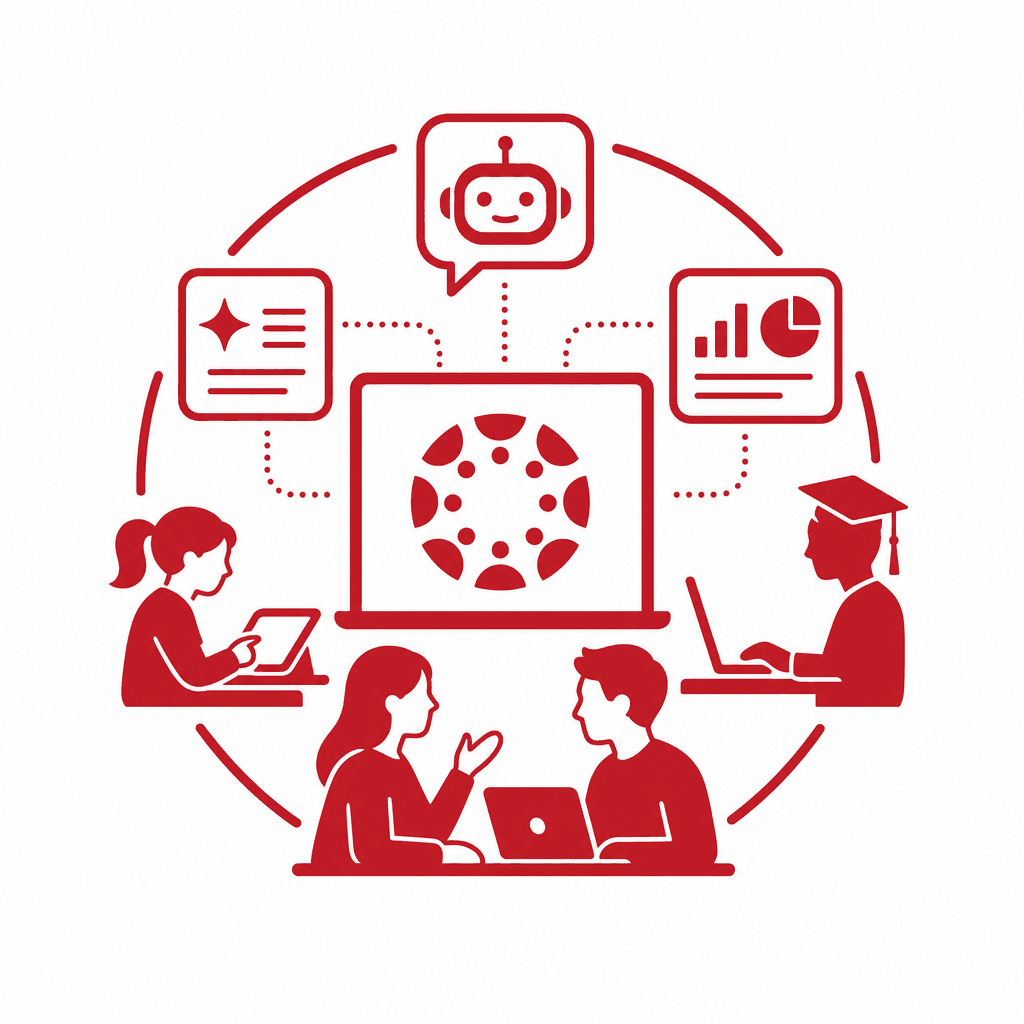
This article delves into the transformative potential of integrating AI within Canvas LMS, providing educators and instructional designers with strategic insights. By embedding AI capabilities directly into the learning ecosystem, we aim to enhance educational engagement and streamline instructional design, creating a unified, AI-native experience for students and teachers alike.
The Rise of AI in Education
The emergence of Canvas LMS as a leading learning management system is integral to the shifting landscape of education, particularly as artificial intelligence (AI) takes center stage. Canvas provides a robust platform designed for user-friendliness, enabling educators to create and manage courses effortlessly. With its intuitive interface, teachers can develop interactive content, streamline grading processes, and customize learning experiences tailored to diverse student needs. One of the key features of Canvas is its ability to foster collaboration through discussion boards, group assignments, and integrated communication tools. These functionalities not only promote interaction among students but also enhance engagement in an AI-enhanced environment. As AI technologies are integrated natively within Canvas, educators can leverage data analytics to assess student performance and adapt their instructional strategies accordingly. Moreover, Canvas supports a wide array of third-party integrations, allowing for the seamless incorporation of AI tools that can automate administrative tasks or provide personalized learning pathways. This adaptability ensures that educators can develop a unified learning experience, transforming traditional classrooms into dynamic, AI-native ecosystems that prioritize student success and foster lifelong learning.
An Overview of Canvas LMS
Canvas LMS is a robust learning management system designed to enhance the educational experience for both K-12 and higher education institutions. Its intuitive user interface enables educators to navigate easily, creating a welcoming environment for instructors and students alike. The course creation features are particularly noteworthy; educators can design engaging and interactive curricula using various multimedia elements, assignments, discussion boards, and quizzes. One of Canvas's distinct advantages is its collaborative tools, which facilitate real-time interaction among users. These tools allow students to participate in discussions, peer reviews, and group projects seamlessly, fostering a community of learning and engagement. The integration of user-friendly communication tools, like announcements and chat functionalities, enhances instructor-student connectivity. As a foundational platform for AI integration, Canvas LMS possesses the capabilities to adapt and transform educational experiences. Its API and integration potential allow for third-party AI applications to be embedded directly within the system, thus creating an AI-native ecosystem. By leveraging these features, educators can begin to develop a unified learning experience that not only addresses instructional goals but also enhances student engagement and facilitates personalized learning pathways. This sets the stage for innovative educational strategies in an increasingly digital learning environment.
Identifying Opportunities for AI Integration
Integrating AI features within Canvas LMS opens up a multitude of opportunities for enhancing instructional design and fostering a more engaging learning environment. One primary feature is personalized learning paths, which enable educators to tailor content and assessments to meet each student's individual needs. For example, an instructor can utilize AI algorithms to analyze student performance and adapt course materials accordingly, thereby creating a customized learning journey that enhances engagement and retention. Another notable opportunity lies in adaptive assessment tools, which adjust the difficulty of questions based on student responses. By leveraging this feature, educators can better gauge students' understanding in real time and provide targeted support, ensuring that no learner is left behind. Real-world implementations, such as case studies from districts that integrated AI-driven quizzes, showcase significant improvements in student achievement. Moreover, analytics-driven insights empower faculty to make data-informed decisions about their teaching practices. With integrated AI analytics dashboards, educators can monitor trends, engagement levels, and areas requiring intervention, thus supporting proactive instructional strategies. By harnessing these AI capabilities, K-12 and higher-ed institutions can create a truly unified learning ecosystem that enriches both teaching and student success.
Creating Seamless Workflows with AI
Integrating AI within Canvas to create seamless workflows is crucial for maximizing the potential of an AI-native ecosystem. To design effective instructional workflows, educators and instructional designers should prioritize simplicity and intuitiveness that connect existing tools and resources without creating disruption. Firstly, educators can utilize automation features within Canvas, such as AI-driven responses for FAQs or personalized notifications that guide students based on their performance. This proactive communication fosters a sense of attentiveness, keeping students engaged and informed throughout their learning journey. Another best practice is the implementation of adaptable content pathways; using AI algorithms to tailor learning materials according to individual student needs can significantly enhance learning experiences. When combined with Canvas's existing analytics tools, educators have a clearer picture of student engagement and can dynamically adjust their instructional strategies in response to data insights. Moreover, establishing clear guidelines for integrating third-party tools ensures that educators utilize the best of available technologies without overwhelming users. By standardizing the user experience in Canvas, educators can shift their focus from navigating disparate tools to enhancing teaching methodologies and fostering collaboration among students, leading to a unified learning environment that boosts overall productivity and engagement.
Leveraging Partner Integrations
Integrating AI in Canvas through effective partner collaborations can significantly amplify the learning experience. Popular AI partner tools such as Turnitin, Google Cloud AI, and Canvas Studio offer functionalities that enrich educational strategies. For instance, Turnitin’s AI-driven plagiarism detection not only ensures academic integrity but also promotes original thinking by providing students with instant feedback on writing quality. Google Cloud AI services facilitate personalized learning pathways by analyzing student performance data, enabling educators to adapt their instruction based on individual needs. Canvas Studio enhances engagement through its interactive video capabilities, allowing educators to create dynamic content that captures student attention. The integration of such tools fosters a unified learning environment, reducing the friction often associated with disparate technologies. By employing these partner integrations, educators can create a cohesive instructional design that connects various elements seamlessly, enhancing both teaching and learning outcomes. Consequently, the collaborative use of these AI tools within Canvas not only promotes cognitive engagement but also encourages a community of learners who benefit from a more interconnected educational landscape. This strategic use of partnerships represents a cornerstone for developing an AI-native ecosystem in education.
Future Trends in AI and Canvas
As we look towards the future of AI integration within Canvas LMS, it is essential to envision the transformative advancements on the horizon. AI technology is expected to evolve significantly, enhancing its capabilities in personalized learning analytics, automated grading systems, and adaptive content delivery. These advancements will empower educators to tailor their teaching strategies even more effectively, catering to the diverse needs of students. As AI algorithms become more sophisticated, the implications for educational practices will be profound. For instance, predictive analytics could foresee student challenges, enabling timely interventions that can significantly improve retention and performance. Moreover, AI-driven content creation tools may allow for the development of highly customized course materials, fostering deeper engagement and understanding among learners. Nevertheless, the rapid pace of technological change necessitates continuous adaptation from educators and instructional designers. Embracing an AI-native ecosystem will require ongoing professional development, ensuring that educators not only remain informed about these emerging technologies but also acquire the skills to effectively integrate them into their teaching practices. Only through a commitment to lifelong learning can educators harness the full potential of AI and create a cohesive, engaging learning environment within Canvas LMS.
Conclusions
In summary, the integration of AI within Canvas LMS represents a significant leap towards cultivating a unified and engaging learning experience. By employing the strategies outlined in this guide, educators can enable a more effective, cohesive instructional environment that leverages technology to enrich student learning outcomes.
The Rise of AI in Education
The emergence of Canvas LMS as a leading learning management system is integral to the shifting landscape of education, particularly as artificial intelligence (AI) takes center stage. Canvas provides a robust platform designed for user-friendliness, enabling educators to create and manage courses effortlessly. With its intuitive interface, teachers can develop interactive content, streamline grading processes, and customize learning experiences tailored to diverse student needs. One of the key features of Canvas is its ability to foster collaboration through discussion boards, group assignments, and integrated communication tools. These functionalities not only promote interaction among students but also enhance engagement in an AI-enhanced environment. As AI technologies are integrated natively within Canvas, educators can leverage data analytics to assess student performance and adapt their instructional strategies accordingly. Moreover, Canvas supports a wide array of third-party integrations, allowing for the seamless incorporation of AI tools that can automate administrative tasks or provide personalized learning pathways. This adaptability ensures that educators can develop a unified learning experience, transforming traditional classrooms into dynamic, AI-native ecosystems that prioritize student success and foster lifelong learning.
An Overview of Canvas LMS
Canvas LMS is a robust learning management system designed to enhance the educational experience for both K-12 and higher education institutions. Its intuitive user interface enables educators to navigate easily, creating a welcoming environment for instructors and students alike. The course creation features are particularly noteworthy; educators can design engaging and interactive curricula using various multimedia elements, assignments, discussion boards, and quizzes. One of Canvas's distinct advantages is its collaborative tools, which facilitate real-time interaction among users. These tools allow students to participate in discussions, peer reviews, and group projects seamlessly, fostering a community of learning and engagement. The integration of user-friendly communication tools, like announcements and chat functionalities, enhances instructor-student connectivity. As a foundational platform for AI integration, Canvas LMS possesses the capabilities to adapt and transform educational experiences. Its API and integration potential allow for third-party AI applications to be embedded directly within the system, thus creating an AI-native ecosystem. By leveraging these features, educators can begin to develop a unified learning experience that not only addresses instructional goals but also enhances student engagement and facilitates personalized learning pathways. This sets the stage for innovative educational strategies in an increasingly digital learning environment.
Identifying Opportunities for AI Integration
Integrating AI features within Canvas LMS opens up a multitude of opportunities for enhancing instructional design and fostering a more engaging learning environment. One primary feature is personalized learning paths, which enable educators to tailor content and assessments to meet each student's individual needs. For example, an instructor can utilize AI algorithms to analyze student performance and adapt course materials accordingly, thereby creating a customized learning journey that enhances engagement and retention. Another notable opportunity lies in adaptive assessment tools, which adjust the difficulty of questions based on student responses. By leveraging this feature, educators can better gauge students' understanding in real time and provide targeted support, ensuring that no learner is left behind. Real-world implementations, such as case studies from districts that integrated AI-driven quizzes, showcase significant improvements in student achievement. Moreover, analytics-driven insights empower faculty to make data-informed decisions about their teaching practices. With integrated AI analytics dashboards, educators can monitor trends, engagement levels, and areas requiring intervention, thus supporting proactive instructional strategies. By harnessing these AI capabilities, K-12 and higher-ed institutions can create a truly unified learning ecosystem that enriches both teaching and student success.
Creating Seamless Workflows with AI
Integrating AI within Canvas to create seamless workflows is crucial for maximizing the potential of an AI-native ecosystem. To design effective instructional workflows, educators and instructional designers should prioritize simplicity and intuitiveness that connect existing tools and resources without creating disruption. Firstly, educators can utilize automation features within Canvas, such as AI-driven responses for FAQs or personalized notifications that guide students based on their performance. This proactive communication fosters a sense of attentiveness, keeping students engaged and informed throughout their learning journey. Another best practice is the implementation of adaptable content pathways; using AI algorithms to tailor learning materials according to individual student needs can significantly enhance learning experiences. When combined with Canvas's existing analytics tools, educators have a clearer picture of student engagement and can dynamically adjust their instructional strategies in response to data insights. Moreover, establishing clear guidelines for integrating third-party tools ensures that educators utilize the best of available technologies without overwhelming users. By standardizing the user experience in Canvas, educators can shift their focus from navigating disparate tools to enhancing teaching methodologies and fostering collaboration among students, leading to a unified learning environment that boosts overall productivity and engagement.
Leveraging Partner Integrations
Integrating AI in Canvas through effective partner collaborations can significantly amplify the learning experience. Popular AI partner tools such as Turnitin, Google Cloud AI, and Canvas Studio offer functionalities that enrich educational strategies. For instance, Turnitin’s AI-driven plagiarism detection not only ensures academic integrity but also promotes original thinking by providing students with instant feedback on writing quality. Google Cloud AI services facilitate personalized learning pathways by analyzing student performance data, enabling educators to adapt their instruction based on individual needs. Canvas Studio enhances engagement through its interactive video capabilities, allowing educators to create dynamic content that captures student attention. The integration of such tools fosters a unified learning environment, reducing the friction often associated with disparate technologies. By employing these partner integrations, educators can create a cohesive instructional design that connects various elements seamlessly, enhancing both teaching and learning outcomes. Consequently, the collaborative use of these AI tools within Canvas not only promotes cognitive engagement but also encourages a community of learners who benefit from a more interconnected educational landscape. This strategic use of partnerships represents a cornerstone for developing an AI-native ecosystem in education.
Future Trends in AI and Canvas
As we look towards the future of AI integration within Canvas LMS, it is essential to envision the transformative advancements on the horizon. AI technology is expected to evolve significantly, enhancing its capabilities in personalized learning analytics, automated grading systems, and adaptive content delivery. These advancements will empower educators to tailor their teaching strategies even more effectively, catering to the diverse needs of students. As AI algorithms become more sophisticated, the implications for educational practices will be profound. For instance, predictive analytics could foresee student challenges, enabling timely interventions that can significantly improve retention and performance. Moreover, AI-driven content creation tools may allow for the development of highly customized course materials, fostering deeper engagement and understanding among learners. Nevertheless, the rapid pace of technological change necessitates continuous adaptation from educators and instructional designers. Embracing an AI-native ecosystem will require ongoing professional development, ensuring that educators not only remain informed about these emerging technologies but also acquire the skills to effectively integrate them into their teaching practices. Only through a commitment to lifelong learning can educators harness the full potential of AI and create a cohesive, engaging learning environment within Canvas LMS.
Conclusions
In summary, the integration of AI within Canvas LMS represents a significant leap towards cultivating a unified and engaging learning experience. By employing the strategies outlined in this guide, educators can enable a more effective, cohesive instructional environment that leverages technology to enrich student learning outcomes.