
Integrating Simulations for Deeper Learning in Canvas Courses
Explore practical strategies for incorporating simulations into your Canvas LMS courses to enhance student engagement, critical thinking, and applied learning. This guide covers how to identify suitable simulation tools, integrate them seamlessly into Canvas assignments and modules, and design effective activities that promote deeper understanding and skill development.
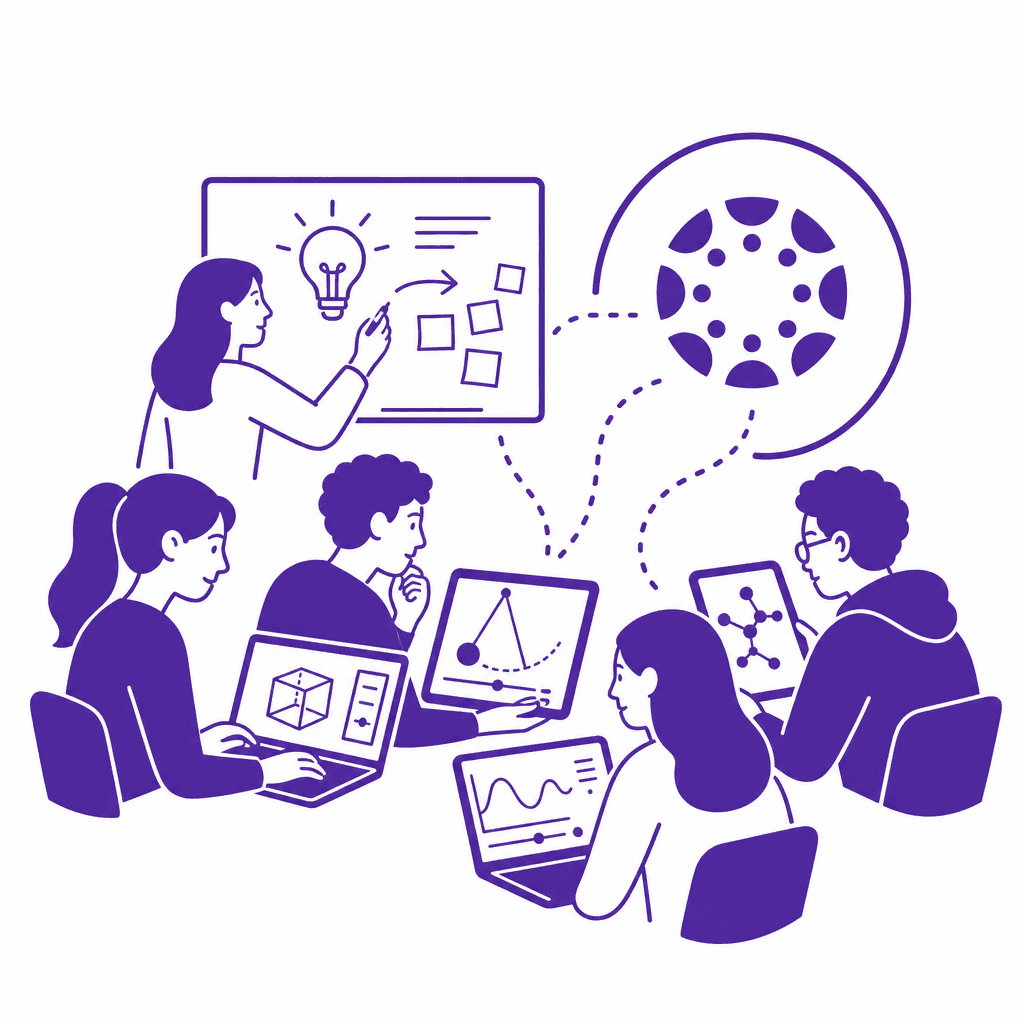
In today's educational landscape, integrating simulations into Canvas LMS courses presents an innovative approach to enhance learning. This article explores effective strategies for incorporating these dynamic tools into online curricula, facilitating active learning, and fostering student engagement through experiential learning opportunities. Discover how to design engaging simulations that promote critical thinking and skill development for deeper understanding.
Understanding the Role of Simulations in Education
Simulations play a pivotal role in bridging the gap between theory and practice in education, particularly through the utilization of platforms like Canvas LMS. They create immersive environments where students can engage in active learning, allowing them to apply theoretical concepts in realistic contexts. This experiential learning fosters not only a deeper understanding of subject matter but also enhances critical thinking and problem-solving skills. One effective type of simulation is virtual labs, which enable students to conduct scientific experiments in a digital space. For instance, chemistry students can manipulate virtual reagents without the risks associated with physical labs. Role-playing scenarios serve as another excellent tool, allowing students to step into the shoes of historical figures or professionals in various fields, prompting discussions that deepen their analytical capabilities. Additionally, business simulations offer learners opportunities to run virtual companies, instilling practical business acumen and decision-making skills. The benefits of simulations in education extend beyond engagement; they cultivate an environment where students are motivated to explore and experiment. By placing learners in scenarios that require active involvement, simulations facilitate a path toward mastery of complex concepts, ultimately enhancing their educational experience and readiness for real-world challenges. These frameworks are essential for promoting deeper learning and achieving educational goals.
Exploring Canvas LMS Features for Simulations
To effectively integrate simulations in Canvas courses, it's essential to leverage the platform's versatile features, which can enhance the overall learning experience. Canvas modules serve as a structured pathway for students, allowing instructors to sequence simulations with related readings and resources. By grouping these resources in a cohesive module, students can engage with simulations in a context that promotes active learning. Assignments in Canvas can be tailored to incorporate simulations, enabling students to submit their experiences or findings as deliverables. For example, educators can require reflections or reports based on simulation outcomes, encouraging deeper analysis and critical thinking. Interactive discussions can complement simulation assignments, where students can share insights and strategies, fostering a collaborative learning environment. Quizzes can also be designed to assess students' understanding and application of concepts learned through simulations. Incorporating scenario-based questions that require students to apply their experience from simulations reinforces learning and helps gauge their comprehension. By seamlessly using these Canvas features, educators can create a holistic experiential learning ecosystem that not only engages students but also equips them with practical skills, bridging theoretical knowledge with real-world application. The thoughtful integration of these tools within Canvas enhances the educational experience, encouraging deeper student engagement and critical reflection.
Identifying Suitable Simulation Tools
Selecting the right simulation tools is crucial for maximizing student engagement and enhancing the learning experience within your Canvas courses. When evaluating simulation tools, consider the following criteria: - **Ease of Use**: A user-friendly interface is essential. Choose tools that allow both instructors and students to navigate seamlessly, minimizing the learning curve and technical disruptions. - **Alignment with Learning Objectives**: Ensure that the simulation tool directly supports your course’s learning outcomes. The more relevant the simulation, the more impactful it will be for fostering critical thinking and applied learning. - **Accessibility**: Evaluate whether the simulation platform complies with accessibility standards, ensuring all students can participate equally, regardless of their abilities. Popular simulation platforms include: - **Labster**: Offers virtual lab simulations for science courses, allowing students to experiment in a risk-free environment. It integrates smoothly into Canvas through LTI. - **Simul8**: Focused on process simulation, this tool helps students visualize and refine complex systems, ideal for business and engineering subjects. - **Zooniverse**: Provides research-based projects that allow students to contribute to real-world data collection and analysis, fostering experiential learning. Make sure to check how these platforms integrate with Canvas, using APIs or LTI tools, facilitating a cohesive educational experience that promotes active learning across various subjects and skill levels.
Designing Effective Simulation-Driven Activities
Designing effective simulation-driven activities requires a careful balance of instructional design principles and clear guidelines that align with desired learning outcomes. To enhance student engagement and promote deeper understanding, activities should be intentionally crafted to reinforce critical concepts and provide opportunities for experiential learning. Start by mapping each simulation activity directly to specific learning objectives, ensuring that students can see the relevance of their efforts in the context of their broader course goals. Next, provide detailed instructions for each activity. Clear directions not only guide student participation but also set expectations for performance and outcomes. Incorporate examples of successful simulations, such as role-playing scenarios in a business course or virtual lab experiments in science classes, which allow learners to apply theoretical knowledge in a practical context. Additionally, consider a variety of assessment methods to evaluate student performance effectively. Use rubrics to assess participation and understanding, combining peer evaluations, reflective journals, or post-simulation discussions to encourage deeper analysis of the experiences. Engaging students actively in this way fosters critical thinking and reinforces their learning, leading to a richer educational experience within the Canvas LMS framework.
Implementing Simulations in Course Modules
Integrating simulations into Canvas course modules requires a strategic approach to ensure that they enhance student engagement and deepen understanding. To start, identify simulations that align with your course objectives by considering tools such as Labster, SimCityEDU, or PhET Interactive Simulations. Once a simulation is selected, embed it into specific lessons within Canvas by utilizing the Rich Content Editor, creating links, or adding multimedia embeds directly within modules. A recommended workflow begins with outlining which topics will benefit from simulation-based learning and designing corresponding assignments in Canvas. Next, craft clear instructions and objectives for students, specifying how engagement with the simulation ties back to course concepts. Assess their performance using a variety of methods, including reflective journals, group presentations, or discussions that connect simulation experiences to theoretical frameworks. To create a cohesive learning experience, coordinate simulations with additional course materials such as readings, videos, and discussion prompts. Encourage exploration by utilizing interactive features within the simulation while fostering critical thinking through guided reflection questions. Finally, monitor student interactions through Canvas analytics to identify patterns and inform your instructional design, ensuring ongoing support and refinement of simulation activities.
Evaluating the Impact of Simulations on Learning Outcomes
Evaluating the impact of simulations on learning outcomes is crucial for ensuring that these enriching experiences contribute effectively to student growth. To comprehensively assess the effectiveness of simulations, educators can employ both quantitative and qualitative evaluation techniques. Quantitative methods may include pre- and post-assessments that measure knowledge acquisition and skill improvement directly attributable to simulation activities. By analyzing engagement metrics such as completion rates and time spent on tasks, instructors can discern patterns that indicate how well students are interacting with the simulations. Qualitative evaluation techniques are equally essential. Gathering student feedback through surveys and reflective journals allows educators to capture personal insights into students' learning experiences. This feedback can illuminate aspects of the simulations that were particularly effective or areas that may need adjustment. Additionally, facilitating focus groups can provide an opportunity for deeper discussions about the simulation's impact on critical thinking and applied learning. The continuous feedback loop is vital; leveraging data from both types of assessments enables ongoing refinement of simulation activities. As educators adapt their simulations based on concrete evidence, they can better align these activities with educational objectives, ultimately enhancing student engagement and fostering a deeper learning environment.
Conclusions
By integrating simulations within Canvas courses, educators can significantly enhance student engagement and foster a deeper understanding of course material. This guide highlights the importance of thoughtful integration of simulation tools, emphasizing the value of creating experiential learning opportunities that promote critical thinking and applied learning. Embrace these strategies to elevate your course design and enrich your students' educational experiences.
Understanding the Role of Simulations in Education
Simulations play a pivotal role in bridging the gap between theory and practice in education, particularly through the utilization of platforms like Canvas LMS. They create immersive environments where students can engage in active learning, allowing them to apply theoretical concepts in realistic contexts. This experiential learning fosters not only a deeper understanding of subject matter but also enhances critical thinking and problem-solving skills. One effective type of simulation is virtual labs, which enable students to conduct scientific experiments in a digital space. For instance, chemistry students can manipulate virtual reagents without the risks associated with physical labs. Role-playing scenarios serve as another excellent tool, allowing students to step into the shoes of historical figures or professionals in various fields, prompting discussions that deepen their analytical capabilities. Additionally, business simulations offer learners opportunities to run virtual companies, instilling practical business acumen and decision-making skills. The benefits of simulations in education extend beyond engagement; they cultivate an environment where students are motivated to explore and experiment. By placing learners in scenarios that require active involvement, simulations facilitate a path toward mastery of complex concepts, ultimately enhancing their educational experience and readiness for real-world challenges. These frameworks are essential for promoting deeper learning and achieving educational goals.
Exploring Canvas LMS Features for Simulations
To effectively integrate simulations in Canvas courses, it's essential to leverage the platform's versatile features, which can enhance the overall learning experience. Canvas modules serve as a structured pathway for students, allowing instructors to sequence simulations with related readings and resources. By grouping these resources in a cohesive module, students can engage with simulations in a context that promotes active learning. Assignments in Canvas can be tailored to incorporate simulations, enabling students to submit their experiences or findings as deliverables. For example, educators can require reflections or reports based on simulation outcomes, encouraging deeper analysis and critical thinking. Interactive discussions can complement simulation assignments, where students can share insights and strategies, fostering a collaborative learning environment. Quizzes can also be designed to assess students' understanding and application of concepts learned through simulations. Incorporating scenario-based questions that require students to apply their experience from simulations reinforces learning and helps gauge their comprehension. By seamlessly using these Canvas features, educators can create a holistic experiential learning ecosystem that not only engages students but also equips them with practical skills, bridging theoretical knowledge with real-world application. The thoughtful integration of these tools within Canvas enhances the educational experience, encouraging deeper student engagement and critical reflection.
Identifying Suitable Simulation Tools
Selecting the right simulation tools is crucial for maximizing student engagement and enhancing the learning experience within your Canvas courses. When evaluating simulation tools, consider the following criteria: - **Ease of Use**: A user-friendly interface is essential. Choose tools that allow both instructors and students to navigate seamlessly, minimizing the learning curve and technical disruptions. - **Alignment with Learning Objectives**: Ensure that the simulation tool directly supports your course’s learning outcomes. The more relevant the simulation, the more impactful it will be for fostering critical thinking and applied learning. - **Accessibility**: Evaluate whether the simulation platform complies with accessibility standards, ensuring all students can participate equally, regardless of their abilities. Popular simulation platforms include: - **Labster**: Offers virtual lab simulations for science courses, allowing students to experiment in a risk-free environment. It integrates smoothly into Canvas through LTI. - **Simul8**: Focused on process simulation, this tool helps students visualize and refine complex systems, ideal for business and engineering subjects. - **Zooniverse**: Provides research-based projects that allow students to contribute to real-world data collection and analysis, fostering experiential learning. Make sure to check how these platforms integrate with Canvas, using APIs or LTI tools, facilitating a cohesive educational experience that promotes active learning across various subjects and skill levels.
Designing Effective Simulation-Driven Activities
Designing effective simulation-driven activities requires a careful balance of instructional design principles and clear guidelines that align with desired learning outcomes. To enhance student engagement and promote deeper understanding, activities should be intentionally crafted to reinforce critical concepts and provide opportunities for experiential learning. Start by mapping each simulation activity directly to specific learning objectives, ensuring that students can see the relevance of their efforts in the context of their broader course goals. Next, provide detailed instructions for each activity. Clear directions not only guide student participation but also set expectations for performance and outcomes. Incorporate examples of successful simulations, such as role-playing scenarios in a business course or virtual lab experiments in science classes, which allow learners to apply theoretical knowledge in a practical context. Additionally, consider a variety of assessment methods to evaluate student performance effectively. Use rubrics to assess participation and understanding, combining peer evaluations, reflective journals, or post-simulation discussions to encourage deeper analysis of the experiences. Engaging students actively in this way fosters critical thinking and reinforces their learning, leading to a richer educational experience within the Canvas LMS framework.
Implementing Simulations in Course Modules
Integrating simulations into Canvas course modules requires a strategic approach to ensure that they enhance student engagement and deepen understanding. To start, identify simulations that align with your course objectives by considering tools such as Labster, SimCityEDU, or PhET Interactive Simulations. Once a simulation is selected, embed it into specific lessons within Canvas by utilizing the Rich Content Editor, creating links, or adding multimedia embeds directly within modules. A recommended workflow begins with outlining which topics will benefit from simulation-based learning and designing corresponding assignments in Canvas. Next, craft clear instructions and objectives for students, specifying how engagement with the simulation ties back to course concepts. Assess their performance using a variety of methods, including reflective journals, group presentations, or discussions that connect simulation experiences to theoretical frameworks. To create a cohesive learning experience, coordinate simulations with additional course materials such as readings, videos, and discussion prompts. Encourage exploration by utilizing interactive features within the simulation while fostering critical thinking through guided reflection questions. Finally, monitor student interactions through Canvas analytics to identify patterns and inform your instructional design, ensuring ongoing support and refinement of simulation activities.
Evaluating the Impact of Simulations on Learning Outcomes
Evaluating the impact of simulations on learning outcomes is crucial for ensuring that these enriching experiences contribute effectively to student growth. To comprehensively assess the effectiveness of simulations, educators can employ both quantitative and qualitative evaluation techniques. Quantitative methods may include pre- and post-assessments that measure knowledge acquisition and skill improvement directly attributable to simulation activities. By analyzing engagement metrics such as completion rates and time spent on tasks, instructors can discern patterns that indicate how well students are interacting with the simulations. Qualitative evaluation techniques are equally essential. Gathering student feedback through surveys and reflective journals allows educators to capture personal insights into students' learning experiences. This feedback can illuminate aspects of the simulations that were particularly effective or areas that may need adjustment. Additionally, facilitating focus groups can provide an opportunity for deeper discussions about the simulation's impact on critical thinking and applied learning. The continuous feedback loop is vital; leveraging data from both types of assessments enables ongoing refinement of simulation activities. As educators adapt their simulations based on concrete evidence, they can better align these activities with educational objectives, ultimately enhancing student engagement and fostering a deeper learning environment.
Conclusions
By integrating simulations within Canvas courses, educators can significantly enhance student engagement and foster a deeper understanding of course material. This guide highlights the importance of thoughtful integration of simulation tools, emphasizing the value of creating experiential learning opportunities that promote critical thinking and applied learning. Embrace these strategies to elevate your course design and enrich your students' educational experiences.