
Prompt Engineering for Instructional Designers: A Practical Playbook for Canvas Content
This article will provide instructional designers with a practical playbook for crafting effective AI prompts to generate high-quality, pedagogically sound course content within Canvas. It will cover strategies for structuring prompts, specifying learning objectives, ensuring alignment with Canvas features, and iteratively refining AI outputs to meet design standards.
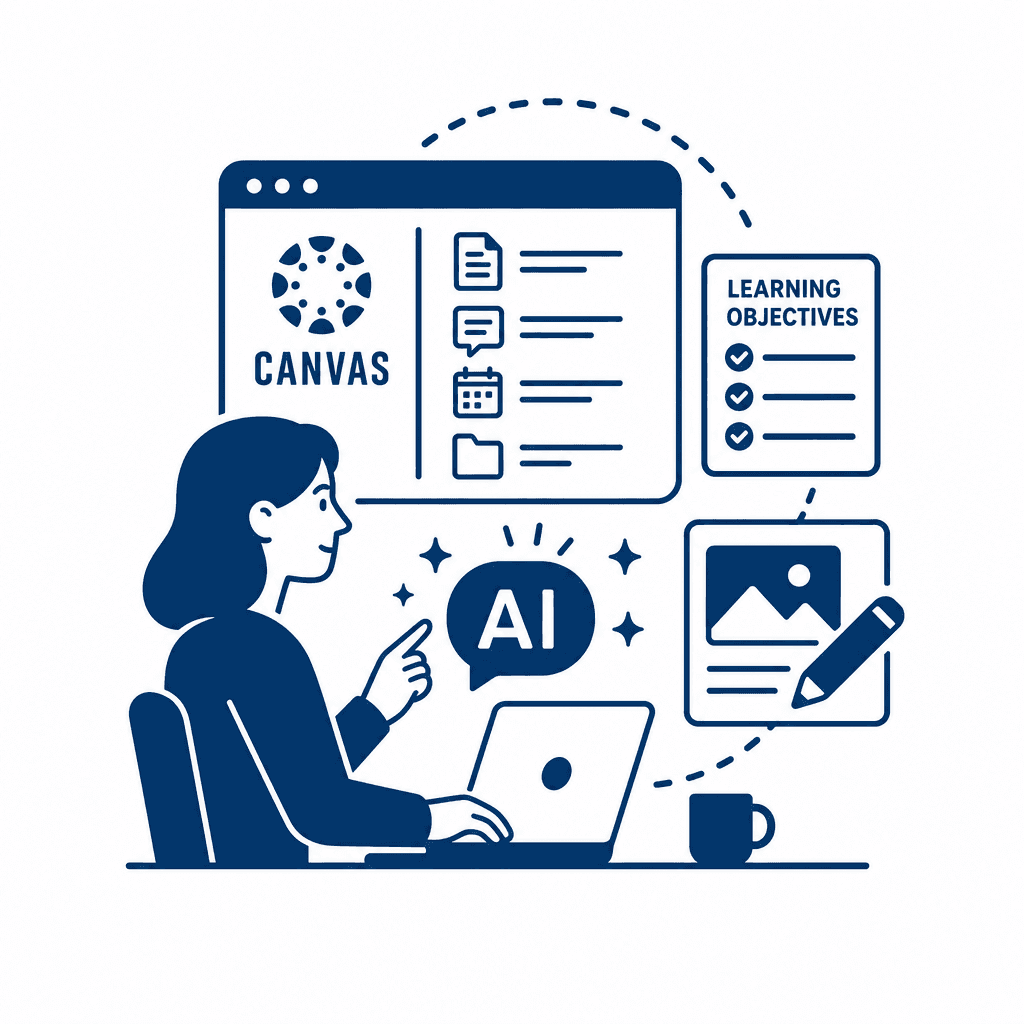
In the evolving landscape of education, integrating artificial intelligence (AI) for content creation within learning management systems like Canvas presents unique challenges and opportunities. This article explores effective prompt engineering techniques that enable instructional designers to create tailored and effective course materials using AI, ensuring alignment with pedagogical standards and Canvas functionalities.
Understanding the Role of AI in Educational Content Creation
As AI technology becomes more integral to content creation in educational settings, understanding the principles of prompt engineering becomes essential for instructional designers. Prompts serve as the foundation of interaction between educators and AI systems, guiding the AI on what information to generate and how to tailor its responses to fit educational objectives. The effectiveness of AI-generated content largely relies on how well these prompts are constructed. To craft effective prompts, clarity is paramount. Instructional designers should clearly define the desired outcome, such as a lesson plan or assessment question. Specificity is also crucial; instead of asking the AI for "information on ecosystems," a prompt like "Generate a five-question quiz on the roles of producers, consumers, and decomposers in ecosystems" yields more targeted results. Relevance to educational outcomes can be ensured by aligning prompts with established learning objectives, thus maintaining pedagogical soundness. Moreover, iterative refinement should be embraced. After analyzing initial outputs, designers can adjust prompts for improved results, ensuring that the generated content is both high-quality and aligned with curricular demands. By mastering prompt engineering, instructional designers can effectively leverage AI to enhance educational engagement and learning outcomes within the Canvas LMS.
The Fundamentals of Prompt Engineering
In the realm of AI interactions, **prompt engineering** serves as a foundational element that significantly shapes the quality of outputs generated by artificial intelligence. At its core, a prompt is a textual instruction or query designed to elicit specific responses from an AI model. The effectiveness of these prompts hinges on their clarity, specificity, and relevance to educational outcomes. To craft effective prompts, designers should focus on several key guidelines. First, prompts should be clear and unambiguous. For instance, rather than asking, "Create a lesson," a better prompt might specify, "Design a one-hour interactive lesson plan on climate change for high school students." This approach reduces the potential for varied interpretations, directly influencing the quality of the AI's response. Second, specificity is crucial. Incorporating details such as the target audience, desired format, and particular learning outcomes helps the AI align its output with the instructional context. Additionally, maintaining relevance to educational goals ensures that the generated content supports pedagogical intentions. Iteratively refining prompts based on previous outputs fosters continuous improvement. For example, if an initial prompt yields unsatisfactory results, tweaking specific phrases and adding context can lead to more aligned answers. Through these strategies, instructional designers can leverage AI to create engaging, high-quality content within the Canvas LMS that meets educational needs.
Defining Learning Objectives for AI-Generated Content
Clear learning objectives serve as the backbone of instructional design and are fundamental to the prompt engineering process. They not only provide direction but also frame the educational context within which AI-generated content operates. Well-articulated objectives guide AI by specifying what outcomes are desired, ensuring that the resulting materials are aligned with pedagogical goals. To articulate measurable learning goals, consider using the SMART criteria—Specific, Measurable, Achievable, Relevant, and Time-bound. For instance, instead of stating a general objective like "understand photosynthesis," a more precise goal could be "explain the process of photosynthesis in plants, including the roles of sunlight, water, and carbon dioxide, by the end of week two." This level of detail directs the AI to focus on essential elements when generating content. Sample formats for articulating these objectives include: - **"By the end of this module, students will be able to..."** followed by the specific knowledge or skills to be demonstrated. - **"Students will demonstrate their understanding of..."** outlining the criteria for assessment. In creating prompts tied to these objectives, instructional designers enhance AI outputs, ensuring they meet established learning standards while catering to the unique pathways provided by the Canvas LMS.
Aligning AI Prompts with Canvas Features
To effectively align AI prompts with the features of the Canvas LMS, instructional designers must leverage the platform’s rich capabilities while ensuring that AI-generated content adheres to their pedagogical standards. Utilizing Canvas tools such as quizzes, discussions, and multimedia embeds is essential when developing prompts. When crafting a prompt for an assignment that incorporates multimedia, one might specify: **"Generate a course module on basic biology, including an embedded video and related discussion questions to engage students."** This clear directive ensures that the AI understands the necessity of multimedia integration, enhancing learner engagement. For assessments, prompts can be structured to align with Canvas’s quizzing functionalities. For example: **"Create a five-question formative assessment based on the previously discussed module, ensuring a variety of question types such as multiple-choice and true/false."** This directs the AI to produce outputs tailored for immediate evaluation within the Canvas environment. When designing learning pathways, a prompt might be: **"Outline a sequence of three lessons on climate change that interlinks with Adaptive Learning in Canvas, including checkpoints for student reflections and adjustments."** This approach guarantees compatibility with Canvas's capabilities, ensuring that designed content not only meets learning objectives but also adheres to the platform's structural features.
Iterative Refinement of AI Outputs
To maximize the potential of AI-generated content, embracing an iterative refinement process is crucial for instructional designers. Evaluating the AI outputs against established design standards and specific learning objectives allows for the identification of strengths and areas needing improvement. This ensures that the content is not just informative, but pedagogically sound. An effective approach to iterative refinement involves first reviewing the AI-generated materials using a clear rubric that aligns with learning objectives. Designers should assess the clarity, engagement, and relevance of the content. Next, gather feedback from a diverse set of users, including fellow designers, educators, and even students. This can be achieved through surveys, focus groups, or direct observations in a Canvas course environment. Integrating this feedback into revisions is essential for producing high-quality course materials. Encourage open communication and discussions around what works and what doesn’t, fostering a collaborative design ethos. The iterative process not only enhances the quality of the output but also builds a community of practice that values continuous improvement. As you refine the content, you establish a feedback loop that promotes sustained alignment with best pedagogical practices, ultimately leading to an enriched learning experience in Canvas.
Best Practices for Using AI in Instructional Design
Incorporating AI into the instructional design workflow necessitates a focus on best practices that promote ethical usage and effective outcomes. First and foremost, **ethical considerations** should guide every interaction with AI. Instructional designers must ensure that the content generated is not only aligned with educational goals but also respects copyright and intellectual property rights. This involves a keen awareness of how AI sources its information and being transparent about its use in course materials. **Authorial integrity** is essential in maintaining the designer’s voice while using AI tools. Integrators should view AI as an innovative partner rather than a replacement for human creativity. Maintaining a balance between AI-generated content and personal insights fosters a richer learning environment. Continuous professional development is critical for effectively leveraging AI tools. Designers should engage in ongoing training to stay updated on the latest AI capabilities and ethical implications. Furthermore, networking with peers can provide valuable insights into best practices. To adopt these strategies effectively, instructional designers can implement the following tips: - **Establish clear guidelines** for AI use that emphasize ethical standards and integrity. - **Regularly review and update** AI-generated content to reflect changes in pedagogical approaches and educational standards. - **Participate in professional development** opportunities, such as workshops or online courses focusing on AI in education. By following these actionable steps, instructional designers can enhance their workflows, ensuring effective and responsible use of AI in the creation of Canvas course content.
Conclusions
In summary, leveraging prompt engineering within AI can significantly enhance the quality and effectiveness of course content designed for Canvas. By understanding AI's role, crafting precise prompts, and aligning outputs with educational objectives, instructional designers can create engaging and relevant learning experiences. Embracing best practices ensures ongoing success in harnessing technology for educational excellence.
Understanding the Role of AI in Educational Content Creation
As AI technology becomes more integral to content creation in educational settings, understanding the principles of prompt engineering becomes essential for instructional designers. Prompts serve as the foundation of interaction between educators and AI systems, guiding the AI on what information to generate and how to tailor its responses to fit educational objectives. The effectiveness of AI-generated content largely relies on how well these prompts are constructed. To craft effective prompts, clarity is paramount. Instructional designers should clearly define the desired outcome, such as a lesson plan or assessment question. Specificity is also crucial; instead of asking the AI for "information on ecosystems," a prompt like "Generate a five-question quiz on the roles of producers, consumers, and decomposers in ecosystems" yields more targeted results. Relevance to educational outcomes can be ensured by aligning prompts with established learning objectives, thus maintaining pedagogical soundness. Moreover, iterative refinement should be embraced. After analyzing initial outputs, designers can adjust prompts for improved results, ensuring that the generated content is both high-quality and aligned with curricular demands. By mastering prompt engineering, instructional designers can effectively leverage AI to enhance educational engagement and learning outcomes within the Canvas LMS.
The Fundamentals of Prompt Engineering
In the realm of AI interactions, **prompt engineering** serves as a foundational element that significantly shapes the quality of outputs generated by artificial intelligence. At its core, a prompt is a textual instruction or query designed to elicit specific responses from an AI model. The effectiveness of these prompts hinges on their clarity, specificity, and relevance to educational outcomes. To craft effective prompts, designers should focus on several key guidelines. First, prompts should be clear and unambiguous. For instance, rather than asking, "Create a lesson," a better prompt might specify, "Design a one-hour interactive lesson plan on climate change for high school students." This approach reduces the potential for varied interpretations, directly influencing the quality of the AI's response. Second, specificity is crucial. Incorporating details such as the target audience, desired format, and particular learning outcomes helps the AI align its output with the instructional context. Additionally, maintaining relevance to educational goals ensures that the generated content supports pedagogical intentions. Iteratively refining prompts based on previous outputs fosters continuous improvement. For example, if an initial prompt yields unsatisfactory results, tweaking specific phrases and adding context can lead to more aligned answers. Through these strategies, instructional designers can leverage AI to create engaging, high-quality content within the Canvas LMS that meets educational needs.
Defining Learning Objectives for AI-Generated Content
Clear learning objectives serve as the backbone of instructional design and are fundamental to the prompt engineering process. They not only provide direction but also frame the educational context within which AI-generated content operates. Well-articulated objectives guide AI by specifying what outcomes are desired, ensuring that the resulting materials are aligned with pedagogical goals. To articulate measurable learning goals, consider using the SMART criteria—Specific, Measurable, Achievable, Relevant, and Time-bound. For instance, instead of stating a general objective like "understand photosynthesis," a more precise goal could be "explain the process of photosynthesis in plants, including the roles of sunlight, water, and carbon dioxide, by the end of week two." This level of detail directs the AI to focus on essential elements when generating content. Sample formats for articulating these objectives include: - **"By the end of this module, students will be able to..."** followed by the specific knowledge or skills to be demonstrated. - **"Students will demonstrate their understanding of..."** outlining the criteria for assessment. In creating prompts tied to these objectives, instructional designers enhance AI outputs, ensuring they meet established learning standards while catering to the unique pathways provided by the Canvas LMS.
Aligning AI Prompts with Canvas Features
To effectively align AI prompts with the features of the Canvas LMS, instructional designers must leverage the platform’s rich capabilities while ensuring that AI-generated content adheres to their pedagogical standards. Utilizing Canvas tools such as quizzes, discussions, and multimedia embeds is essential when developing prompts. When crafting a prompt for an assignment that incorporates multimedia, one might specify: **"Generate a course module on basic biology, including an embedded video and related discussion questions to engage students."** This clear directive ensures that the AI understands the necessity of multimedia integration, enhancing learner engagement. For assessments, prompts can be structured to align with Canvas’s quizzing functionalities. For example: **"Create a five-question formative assessment based on the previously discussed module, ensuring a variety of question types such as multiple-choice and true/false."** This directs the AI to produce outputs tailored for immediate evaluation within the Canvas environment. When designing learning pathways, a prompt might be: **"Outline a sequence of three lessons on climate change that interlinks with Adaptive Learning in Canvas, including checkpoints for student reflections and adjustments."** This approach guarantees compatibility with Canvas's capabilities, ensuring that designed content not only meets learning objectives but also adheres to the platform's structural features.
Iterative Refinement of AI Outputs
To maximize the potential of AI-generated content, embracing an iterative refinement process is crucial for instructional designers. Evaluating the AI outputs against established design standards and specific learning objectives allows for the identification of strengths and areas needing improvement. This ensures that the content is not just informative, but pedagogically sound. An effective approach to iterative refinement involves first reviewing the AI-generated materials using a clear rubric that aligns with learning objectives. Designers should assess the clarity, engagement, and relevance of the content. Next, gather feedback from a diverse set of users, including fellow designers, educators, and even students. This can be achieved through surveys, focus groups, or direct observations in a Canvas course environment. Integrating this feedback into revisions is essential for producing high-quality course materials. Encourage open communication and discussions around what works and what doesn’t, fostering a collaborative design ethos. The iterative process not only enhances the quality of the output but also builds a community of practice that values continuous improvement. As you refine the content, you establish a feedback loop that promotes sustained alignment with best pedagogical practices, ultimately leading to an enriched learning experience in Canvas.
Best Practices for Using AI in Instructional Design
Incorporating AI into the instructional design workflow necessitates a focus on best practices that promote ethical usage and effective outcomes. First and foremost, **ethical considerations** should guide every interaction with AI. Instructional designers must ensure that the content generated is not only aligned with educational goals but also respects copyright and intellectual property rights. This involves a keen awareness of how AI sources its information and being transparent about its use in course materials. **Authorial integrity** is essential in maintaining the designer’s voice while using AI tools. Integrators should view AI as an innovative partner rather than a replacement for human creativity. Maintaining a balance between AI-generated content and personal insights fosters a richer learning environment. Continuous professional development is critical for effectively leveraging AI tools. Designers should engage in ongoing training to stay updated on the latest AI capabilities and ethical implications. Furthermore, networking with peers can provide valuable insights into best practices. To adopt these strategies effectively, instructional designers can implement the following tips: - **Establish clear guidelines** for AI use that emphasize ethical standards and integrity. - **Regularly review and update** AI-generated content to reflect changes in pedagogical approaches and educational standards. - **Participate in professional development** opportunities, such as workshops or online courses focusing on AI in education. By following these actionable steps, instructional designers can enhance their workflows, ensuring effective and responsible use of AI in the creation of Canvas course content.
Conclusions
In summary, leveraging prompt engineering within AI can significantly enhance the quality and effectiveness of course content designed for Canvas. By understanding AI's role, crafting precise prompts, and aligning outputs with educational objectives, instructional designers can create engaging and relevant learning experiences. Embracing best practices ensures ongoing success in harnessing technology for educational excellence.